
A clear path to the product.
Organize access through your portfolio, separate lines and gather details for each item on its own page.
Explore organizationYOUR PORTFOLIO. EASIER TO BROWSE.
Crops, varieties, hybrids, cycles and seed treatments are hard to explain across fragmented chats. The catalog organizes everything into clear, focused browsing.
Mobile browsing · Sales service on WhatsApp
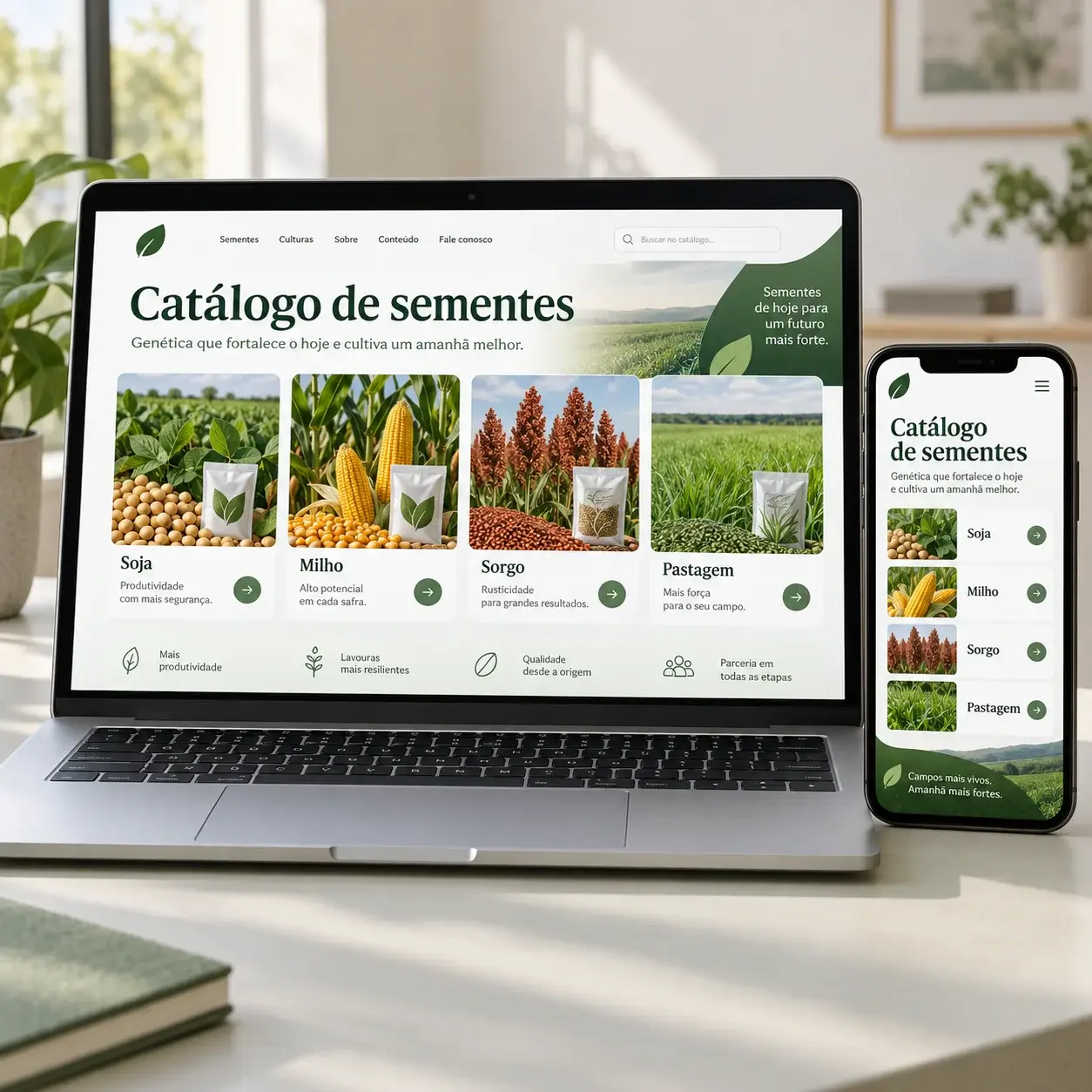
BEFORE THE SALES CONVERSATION
Cycles, traits, treatments and packaging vary widely across seed products. When the portfolio is scattered across PDFs and messages, reps must resend the same specs repeatedly. A digital catalog organizes hybrids and varieties by crop, giving growers a clear starting point to browse and confirm details with your sales team.
Organize access through your portfolio, separate lines and gather details for each item on its own page.
Explore organizationDepois de consultar o material, o produtor fala com o representante pelo WhatsApp para confirmar disponibilidade, região e condição de compra.
See sales serviceYOUR CATALOG ORGANIZATION
Categories mirror the portfolio your company sells. Below are examples of how to structure browsing.

Cultivars, maturity cycles and traits displayed with authorized company specifications.
Explore structure







A PAGE FOR EACH PRODUCT
Each seed listing can feature photos, descriptions, crop, maturity group, biotech traits and packaging. Publish verified specs while your agronomists confirm regional suitability and stock.
Information organized for browsing
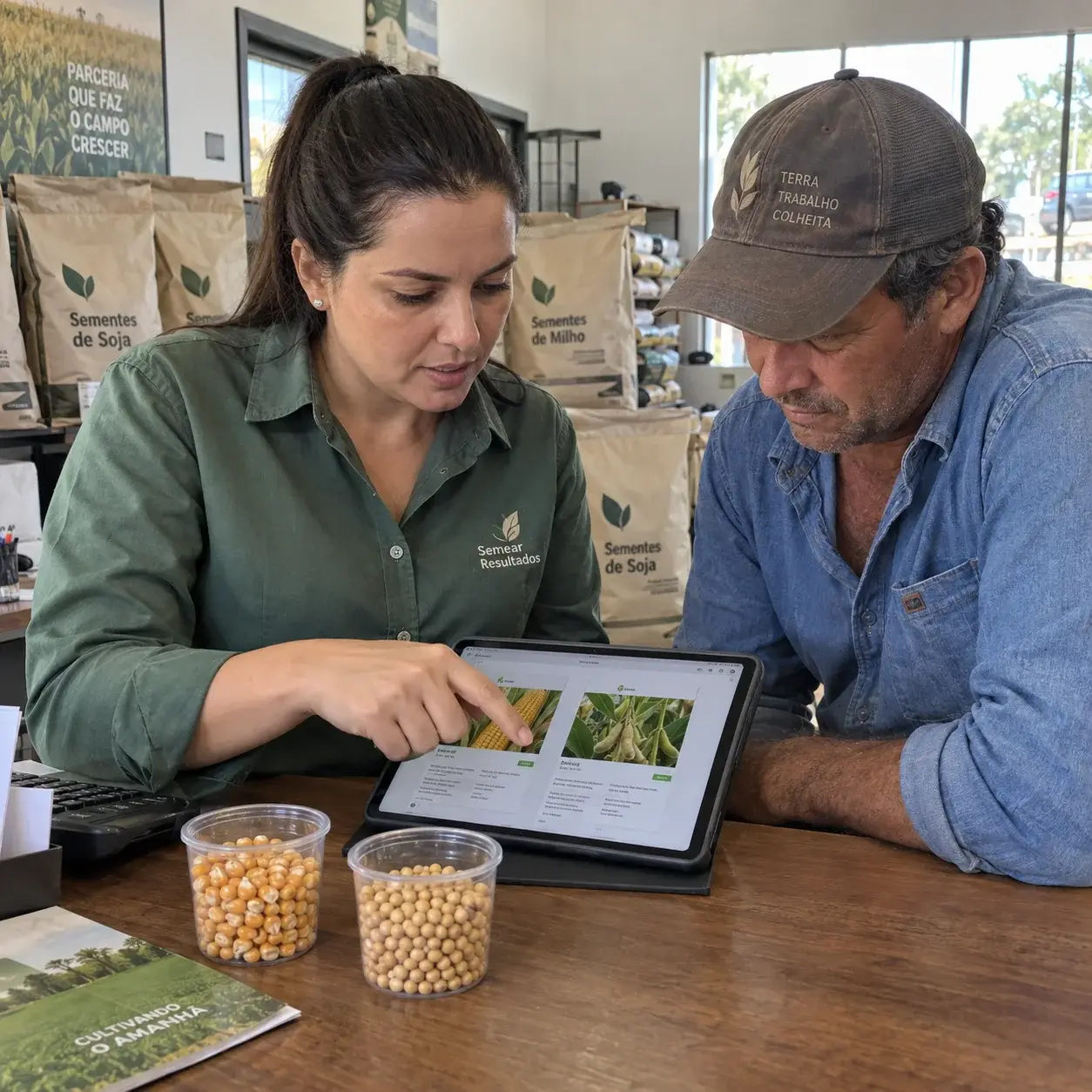
THE CATALOG SHOWS. WHATSAPP SELLS.
During field visits, trade shows or messaging chats, share the exact hybrid or cultivar. Your rep clarifies specs, zone adaptation, delivery timelines and commercial terms.
Hello! I saw this hybrid in your catalog. Could you confirm availability for my region and commercial pricing?
Product identified. More context to serve customers.ONE LINK FOR ALL TOUCHPOINTS
Sales reps and dealers share the same source of truth. The customer explores what matters and returns to chat.
Share the exact product page that came up in chat.
Direct brand discoverers straight to your product line.
Send campaign visitors directly to the relevant category.
Connect print collateral, counters and field days to your catalog.
YOUR COMPANY KEEPS CONTENT CURRENT
Add new arrivals, revise descriptions and archive phased-out seeds. Your team shares the same link while keeping product information current.
PDF VS. DIGITAL CATALOG
PDFs remain helpful for reference. The catalog provides an evergreen link to an always up-to-date portfolio.
| In sales routines | AgroPage | |
|---|---|---|
| When a product changes | Edit the file and redistribute a new version | Update the page at the same evergreen link |
| How the customer browses | Fixed pages and rigid links in a document | Search, categories and individual product pages |
| Sharing an item | Send a heavy file or cite a page number | Send the direct product link |
| WhatsApp contact | May include a generic contact link | Integrated contact carrying product context |
DIGITAL PRESENCE
Dedicated crop and product pages organize names, descriptions and imagery on unique URLs, making your seed catalog intuitive for farmers researching products.
Search indexing and rankings depend on search engines and published content quality.
Products, categories and company information.
FROM ORGANIZATION TO LAUNCH
Gather photos and specs for each cultivar or hybrid.
Set up browsing by crop or product line.
Review listings and share your link across commercial channels.
Receive inquiries and update products as inventory and operations shift.
FREQUENTLY ASKED QUESTIONS
Information for seed companies planning their portfolio showcase.
It is an online showcase gathering crops, cultivars, hybrids and varieties under one link. Growers browse materials and connect with your team.
Yes. Categories structure soybeans, corn, forages and other crops, with individual pages for each seed product.
No. It displays the product portfolio. Agronomic recommendations and suitability remain the responsibility of qualified technical staff.
Yes. Products, descriptions, photos and availability are updated in the dashboard without re-sending new PDF files.
No. AgroPage provides the digital platform for your company to present its own products and manage sales conversations.
No. The catalog opens in mobile and desktop browsers via an instant link with internet access.
Yes. Your company decides which items display pricing and retains sales contact to confirm terms and stock.
Share your portfolio and sales approach. Organizing categories, photos and specs prepares the catalog for easy sharing.
YOUR NEXT STEP
Present products clearly and continue the deal on WhatsApp.
Create seed catalog